Alien Invasion
Defend your cannon against descending waves of aliens in this free retro fixed-shooter. Move, dodge the incoming fire, and clear every wave. Play free, no download.
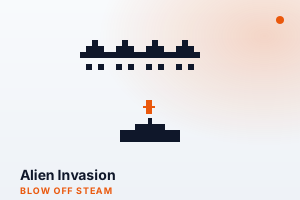
How to Play
- Move your cannon left and right along the bottom using the arrow keys, or tap the left and right sides of the screen.
- Press the spacebar or tap the centre of the screen to fire upward at the alien formation.
- The aliens march side to side, dropping down a row each time they reach a screen edge.
- Dodge the bolts the aliens fire back at you — a single hit ends the game.
- Clear every alien to finish the wave; the next wave starts a step faster than the last.
Features
- Classic fixed-shooter gameplay, rebuilt from scratch for the browser
- Aliens accelerate as you thin their ranks, building tension toward each wave's end
- Endless waves that each start a step faster for a steadily rising challenge
- Keyboard or touch controls — arrows and spacebar, or tap to move and fire
- Clean, readable retro visuals tuned for fair pacing
- Fallen invaders can drop rapid-fire, shield, or triple-shot power-ups
Tips & Strategies
- Keep moving — a stationary cannon is an easy target for the aliens' return fire.
- Thin out one column at a time so the formation has fewer angles to shoot from.
- You can have up to three shots on screen at once, so fire in quick bursts rather than holding back.
- Watch the lowest aliens — they reach your line first and end the game if they land.
- The last few aliens move fast; let them cross over your cannon and fire as they pass.
About This Game
Alien Invasion is an original, browser-native take on the golden age of fixed-shooter arcades. Slide your cannon left and right, fire upward, and clear descending rows of aliens before they reach your line. Dodge the return fire, clear a wave, and face the next as the formation creeps faster. It is approachable yet tense, with movement and shooting timing that reward a steady hand. Tuned for fair, readable pacing, it is a satisfying blow-off-steam break with a retro arcade soul.
Frequently Asked Questions
- How do I control my cannon?
- Use the left and right arrow keys to move and the spacebar to shoot, or tap the sides of the screen to move and the centre to fire.
- How do I beat a wave?
- Destroy every alien in the formation. Clearing a wave brings on the next one, which advances a little faster than the last.
- What ends the game?
- Getting hit by enemy fire, or letting the aliens descend all the way to your line. Keep moving and pick off the shooters to stay alive.
- Is this based on a famous arcade game?
- It is an original, self-made homage to the classic fixed-shooter genre — built from scratch by BytePlay and not affiliated with any trademarked title.