Off-Work Countdown
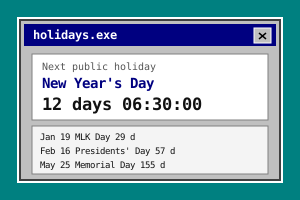
A live countdown to the end of your workday. Set your clock-out time and watch freedom approach, second by second.
How to Use
- Set your clock-out time (default 6:00 PM) — it's saved on your device.
- The countdown updates every second: hours, minutes, seconds until freedom.
- Choose one of four looks: Default, Terminal, Classic or Sunset. Your choice is saved locally.
- After the hour hits, the timer celebrates — you're done for the day.
- Keep it in a BytePlay desktop window to glance at it between tasks.
Features
- Second-precision live countdown
- Custom clock-out time, remembered locally
- Four visual themes, remembered locally
- Celebration state when the workday ends
- Works in a Win98-style desktop window
- Free, no signup
About This Tool
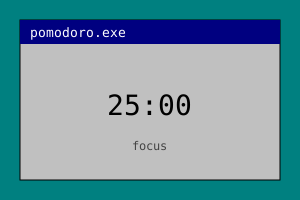
Every weekday afternoon, thousands of people type the same quiet plea into a search bar: how many hours until 5pm? This tool is the permanent answer — a live countdown to the end of your workday. Set your clock-out time once, whether that's 5:00, 6:00 or a late 7:30, and the timer shows exactly how much time is left, in hours, minutes and seconds, ticking down in real time until the moment you're free. Watching the clock sounds like pure slacking, but there is real psychology behind it. Our sense of time is famously elastic. An afternoon with no landmarks feels endless, which is exactly why the 3pm slump hits so hard, and a visible countdown gives that afternoon a shape. Research on time perception suggests that a clearly marked finish line makes a stretch of work feel structured and survivable — the same reason a progress bar makes a download feel faster. Instead of vaguely dreading the rest of the day, you glance at a concrete number and think: two hours and forty minutes, I can do that. The countdown also pairs naturally with focused work. A popular pattern is to run it next to a Pomodoro timer, so the countdown answers the big question (how much workday is left?) while 25-minute focus blocks answer the small one (what am I doing right now?). Knowing that freedom is five pomodoros away turns an abstract afternoon into a short checklist. And because this countdown lives on BytePlay's Windows 98-style desktop, it doesn't need to hold a whole browser tab hostage. Open it as a small draggable window, park it in a corner next to Minesweeper or the Zen Garden, and glance at it between tasks the way office workers once glanced at the taskbar clock — except this clock only counts the minutes that matter to you. Your clock-out time is saved in your browser and nowhere else; there is no account to create and nothing to install. Set it once, and every workday afternoon comes with a finish line built in.
Frequently Asked Questions
- How many hours until 5pm right now?
- Set 5:00 PM as your clock-out time and the countdown shows the answer live, down to the second, updating as you watch. Any schedule works — the clock-out time is fully customizable, from early finishes to late shifts, so the timer always counts toward your actual end of day.
- Does it work if my shift ends after midnight?
- Not yet. The current version counts down within the current day and hits zero at your set time, so an end time past midnight would be treated as already reached. Proper overnight-shift support is on the roadmap.
- Is my clock-out time uploaded anywhere?
- No. Your setting is stored in your browser's localStorage and never leaves your device — there is no account, no server and no tracking of your schedule. Clearing your browser data removes it completely.
- Can I keep the countdown visible while I work?
- Yes. On the BytePlay desktop it opens as a small Win98-style window you can drag into a corner and leave running while you do other things, or you can keep the page open in a narrow browser window beside your real work.