Time Zone Converter
A live world clock that doubles as a converter: change any city's time and every other city follows, DST included.
How to Use
- The converter opens as a live world clock with three cities picked for your language.
- Add cities from the menu at the bottom (up to eight) and remove any with ×.
- Type a time into any row — the other cities convert to that same moment.
- Change the date at the top to check a different day, for example around a DST switch.
- Press 'Back to now' to return to the live clock.
Features
- 80+ cities across every time zone, including zones offset by 30 or 45 minutes like India and Nepal
- Edit any row; every other city follows
- Daylight saving time handled automatically and labelled
- Next-day and previous-day markers
- Live world clock when you are not editing
- Free, no signup, city list saved locally
About This Tool
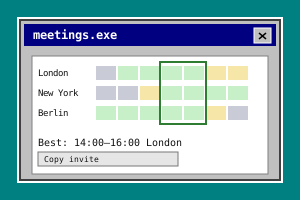
Anyone who works across borders ends up doing time zone arithmetic. Is the colleague in London still online? Does the product launch livestream start before or after dinner? What hour is it for your family on the other side of the world, now that you finally have a quiet evening to call? This converter turns that arithmetic into a table. Each row is a city, and each shows the date and time there. When you are not touching anything, it is simply a live world clock. Type a different time into any row, or change the date at the top, and every other city converts to that same moment. Doing it in your head is more error-prone than it looks. Daylight saving time starts on different days in different places. The United States switches on the second Sunday of March, while Europe switches on the last Sunday of March, so for a few weeks the gap between New York and London is four hours instead of the usual five. Some regions are offset by half an hour or even 45 minutes, such as India and Nepal, so the minutes change along with the hours. And a converted time often lands on a different calendar day, which is very easy to miss. The tool marks those rows with +1 or −1, counted against the first city in the list, so put the city whose calendar you care about at the top. The conversion uses the time zone database that is built into your browser, through the standard Intl feature. Nothing is downloaded and nothing is sent anywhere, and because the rules live in the browser they are kept up to date whenever the browser is, with no table in this page that could go stale. Your list of cities, from one to eight, is saved in your browser only. The moment you are inspecting is not saved, so reopening the tool always starts from the live clock. When you need to find a meeting slot that falls inside everyone's working hours, use this together with the Meeting Planner Across Time Zones, another BytePlay tool.
Frequently Asked Questions
- What time is it in New York, London and Tokyo right now?
- The tool opens with exactly those three cities and updates the time in each one every second. New York is at UTC−5 in winter and UTC−4 in summer, London is at UTC+0 in winter and UTC+1 in summer, and Tokyo stays at UTC+9 all year because Japan does not use daylight saving time. That puts Tokyo 14 hours ahead of New York in winter and 13 hours ahead in summer. Want a different set? Add any of the 80+ cities from the menu and remove the ones you do not need.
- Does it handle daylight saving time automatically?
- Yes. For every row, the tool works out the offset that applies at the exact moment being shown and marks the city with a DST label when summer time is in effect. Because the dates differ, a conversion made in March can give a different gap from one made a few weeks earlier or later: the United States switches on the second Sunday of March and Europe on the last Sunday of March. Change the date at the top to check any day you like. Places that do not use daylight saving, such as China and Japan, simply keep the same offset all year.
- Why do some cities show +1 or −1?
- The marker tells you that the calendar date in that city is not the same as the date in the first city of your list. +1 means it is already the next day there, and −1 means it is still the previous day. Late in the evening in New York, for example, it is already the next day in Tokyo, so Tokyo gets +1. The first row never gets a marker because everything else is compared against it. If the day matters to you, build your list in the order you want, with the city you are comparing against first.
- How many cities can I add, and are they saved?
- You can keep between one and eight cities in the list. The list is saved in your browser on this device, so it is still there next time, but it is not synced to other devices and clearing your site data removes it. The time you have typed in is deliberately not saved. Each visit starts as a live world clock, and the 'Back to now' button returns you to that view at any moment.
- How do I convert a specific time instead of the current one?
- Click into the time box of the city you know and type the time. As soon as you do, the clock stops running and the other rows show what that moment is in their own cities, so you can read off the answer in peace. To check a different day, change the date at the top, which belongs to the first city. Press 'Back to now' to return to the live clock.