Weekend Countdown
A live countdown to clock-out on the last workday of the week — five-day, six-day or alternating weeks, holidays included.
How to Use
- Pick your region and work week: Mon–Fri, Mon–Sat, or alternating six-day and five-day weeks.
- For alternating weeks, choose any date that falls in a six-day week.
- Set your clock-out time — it starts from the Off-Work Countdown's setting.
- Watch the countdown to the end of the last workday and the week-progress bar.
- Once you clock out, it flips to weekend mode and counts to the next workday.
Features
- Counts to clock-out on the real last workday of the week
- Five-day, six-day and alternating weeks
- Public holidays and China's make-up workdays included
- Week-progress bar and a six-day-week warning
- Weekend mode that counts back to Monday
- Free, no signup, settings saved locally
About This Tool
Every office has the same quiet question running through the week: how long until Friday? This countdown answers it to the second. It counts down to clock-out on the last workday of the current week, and a progress bar shows how much of the week has already gone by, so a slow Wednesday afternoon at least comes with a number. Not everyone works Monday to Friday, though. Some people have a single day off, and in parts of the Chinese tech industry an alternating schedule of big and small weeks is common, with a six-day week followed by a five-day one. On top of that, mainland China uses make-up workdays, which turn some weekend days into working days to pay for a holiday break. A tool that simply assumes Friday would be wrong for all of these people. So this one looks at your actual calendar. It takes your region, your work week and the public holidays, finds the last day this week that is really a workday, and counts to your clock-out time on that day. If a holiday falls on Friday and you have the weekend off, the countdown ends on Thursday. If a make-up Saturday is coming, it runs to the end of that Saturday. A week is counted from Monday to Sunday. When your last clock-out passes, or when the whole week is off, the tool flips into weekend mode and counts the time until the next workday begins at midnight. It works nicely alongside the Off-Work Countdown. That tool counts down to the end of today, this one to the end of the week, and your clock-out time starts out the same in both. If you change it here, the new time is kept for this tool only and the Off-Work Countdown is left as it was. Your region, work week and clock-out time are saved only in your browser, with no account and no upload.
Frequently Asked Questions
- How long is it until the weekend?
- The countdown runs to your clock-out time on the last workday of the current week, where a week runs from Monday to Sunday. For a normal Monday-to-Friday job that means Friday at your clock-out time. It shows the remaining hours, minutes and seconds live, along with a bar for how much of the week has passed. When that moment arrives, the tool switches to weekend mode and counts to the start of the next workday instead.
- How do I set up a single-day-off or alternating big and small weeks?
- Use the work week selector. Mon–Fri is the usual two-day weekend, and Mon–Sat is a single day off. For alternating weeks, choose the alternating option and pick any date that falls in one of your six-day weeks. The tool then treats that week as a six-day week and the following one as a five-day week, and keeps alternating from there. In a six-day week the tool shows a warning, so the long week does not surprise you.
- Does a make-up Saturday count as the end of the week?
- Yes. In mainland China, where make-up workdays are part of the holiday calendar, a weekend day that is worked to pay for a holiday break counts as a normal workday. If one falls later in the week than any other workday, the countdown runs all the way to clock-out on that day. A holiday works the other way: if Friday is a public holiday and your weekend is two days, the last workday becomes Thursday. If the whole week is off, the tool goes straight into weekend mode.
- How is this different from the Off-Work Countdown?
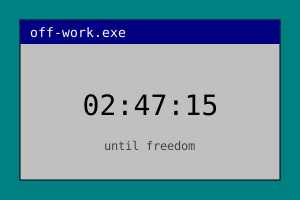
- The Off-Work Countdown counts down to clock-out today. The Weekend Countdown counts to clock-out on the last workday of the week, and it understands holidays, make-up workdays and six-day weeks. Your clock-out time starts out the same in both, because this tool reads the Off-Work Countdown's setting. Once you change the time here, it is saved separately, and the Off-Work Countdown keeps its own value.