Payday Countdown
A live countdown to your next payday — monthly, biweekly or semimonthly — that moves with weekends and holidays.
How to Use
- Pick your region so public holidays are taken into account.
- Choose how you are paid: the same day each month, the last workday, every two weeks, or the 15th and the last day.
- For a monthly payday, enter the day; for biweekly pay, enter any recent payday.
- Decide whether a payday on a weekend or holiday moves to the banking day before or after.
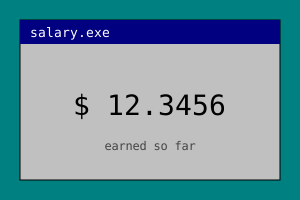
- Optionally enter one paycheck to see how much of it you have earned so far this period.
Features
- Four pay schedules, including biweekly and semimonthly
- Weekend and holiday adjustment, before or after
- Public holidays for nine regions
- Live countdown and pay-period progress bar
- Optional 'earned so far' figure
- Free, no signup, settings saved locally
About This Tool
The last few days before payday are the longest stretch of any month. The inbox is full, the lunch budget is thin, and the only thing that makes the week feel shorter is knowing exactly how far away the money is. That is all this countdown does: it shows the days, hours and seconds until your next payday, so the wait has an end you can see. How people get paid differs a lot from place to place. In mainland China a fixed day of the month is the most common arrangement. In Japan, many employers pay on the 25th. In the United States, paying every two weeks or twice a month is common. The tool covers all of these. Choose the same day each month, the last workday of the month, every two weeks, or the 15th and the last day of the month. For biweekly pay you only need to give one recent payday, and it counts forward in steps of two weeks from there. Real paydays rarely land exactly on the calendar date, because banks do not move money on weekends or public holidays. When a payday falls on a day off, most companies pay earlier, so the countdown moves it back to the previous banking day by default. If your employer pays on the following banking day instead, switch the setting and it shifts forward. Banking days here mean Monday to Friday minus the public holidays of the region you picked, with China's make-up working days counted as ordinary days, and they do not depend on your own work week, so the answer is the same whether you work weekends or not. Below the countdown you will find a progress bar for the current pay period, running from the previous payday to the next one. If you type in what each paycheck is worth, the tool also shows a rough figure for how much of it you have earned so far. That figure is a simple share of the calendar time that has passed, an estimate for fun and motivation. Your payslip is the only authority on what you were actually paid. The amount, the schedule and your region are saved only in your browser, with no account and no upload.
Frequently Asked Questions
- How many days until payday, and how is it worked out?
- The tool takes your pay schedule, finds the next payday on or after today, and counts down to the start of that day. Before counting, it moves the date to a banking day if it landed on a weekend or a public holiday in your region. The result shows the exact date and a live countdown in days, hours, minutes and seconds. On payday itself the countdown is replaced by a short celebration instead of a timer.
- What happens when payday falls on a weekend or a holiday?
- By default the payday moves back to the banking day before, since that is what most companies do so that staff are paid in time. You can change the setting to move it to the banking day after instead. A banking day is a Monday to Friday that is not a public holiday in the region you chose. The last-workday schedule always means the last banking day of the month, so it needs no adjustment setting.
- How do I set up biweekly pay?
- Choose 'Every two weeks' as the pay schedule, then enter any recent payday in the date box, for example the date on your last payslip. The tool counts forward from that date in steps of two weeks and shows the next one. Until you pick a date, the tool shows a short prompt instead of a payday, because it cannot count forward without a real starting point. Semimonthly pay, on the 15th and the last day of the month, is a separate option.
- How is 'earned so far this period' calculated, and is it accurate?
- It takes the paycheck amount you entered and multiplies it by the share of the pay period that has passed, measured in calendar time from the previous payday to the next one. It is a rough estimate that spreads the money evenly across every day, including weekends. It does not know about overtime, tax, bonuses or deductions, so treat it as a motivating number. Your payslip is always the final word.