Solitaire
Play Solitaire free in your browser. The classic Klondike card game — build four foundation piles from Ace to King by sorting cards in alternating colors. No download needed.
How to Play
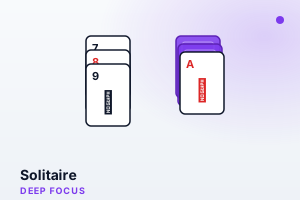
- Click a card to select it, then click its destination to move it between the seven tableau columns. Stack cards in descending order with alternating colors (red on black, black on red).
- When Aces become available, move them to the four foundation piles at the top.
- Build each foundation pile up in suit from Ace to King (A, 2, 3... Q, K).
- Click the stock pile (top right) to draw new cards when you're stuck.
- Move entire stacks of properly ordered cards between columns, and place Kings in empty columns.
Features
- Classic Klondike solitaire rules, faithful to the original card game
- Simple click-to-move controls that work equally well with mouse or touch
- Move counter to track your efficiency
- Press N anytime to shuffle a fresh deal instantly
- Clean card design with easy-to-read suits and values
- Three-level undo, one-click auto-finish, and a draw-three variant
Tips & Strategies
- Always move Aces and Twos to the foundations immediately — there's never a reason to keep them in the tableau.
- Reveal face-down cards as your top priority. Columns with more hidden cards should be cleared first.
- Keep columns open for Kings — an empty column is very valuable for rearranging cards.
- Don't move cards to the foundation too quickly if you might need them for tableau stacking.
- When choosing between two moves, prefer the one that reveals a face-down card.
Strategy Guide
Solvable and winnable are two different numbers
When people say most Klondike deals can be won, they are quoting solvability — the share of deals a player could win if every face-down card were visible from the start. You are not that player. Playing blind forces commitments before the information that would justify them exists: which pile to dig, which card to send up, which king gets the empty column. A perfectly reasonable-looking move can quietly bury the one card the whole deal hinges on, and you will never know which move it was. That is why real win rates sit far below solvability, and why losing a fair share of games says nothing about your skill. The table below puts the two numbers side by side for both draw modes; the gap between its rows is the price of hidden information.
| Measure | Draw 1 | Draw 3 |
|---|---|---|
| Deals that are solvable at all (with every card visible) | ~79% | ~82% of deals, but far fewer are reachable in play |
| Typical win rate for a good player, playing blind | ~43% | ~11% |
Those two lines answer different questions. "Solvable" means a perfect player who could see the face-down cards would win it; you cannot see them. The gap between 79% and 43% is not you playing badly — it is the information you do not have. Undo closes part of that gap, which is why this game offers it.
Why racing cards to the foundation backfires
A card on the foundation is retired: it can no longer catch anything in the tableau. That is the real cost behind holding cards back. A black five sent up too early may have been the only landing spot a red four ever gets, and once that four is stuck, everything underneath it stays buried. A workable yardstick is to keep the four foundations within about two ranks of one another, and to hold a card down whenever a lower card of the opposite colour might still need it as a step. Two features here soften the risk of misjudging: the top foundation card can be pulled back down to a legal tableau spot, and your score is simply your move count — so restrained, tidy play and a low score turn out to be the same thing.
Draw-3 rhythm, and spending your three undos
In draw-three you only ever see every third card of the stock, so a full pass leaves much of the deck out of reach. The lever is that playing any card out of the waste shifts the alignment: cards that kept surfacing face-down-in-the-middle come up on top in later cycles. There is no limit on redeals here, so treat early passes as reconnaissance — note where the cards you need are sitting — and later passes as extraction, using one deliberate waste play to rotate the stack until they surface. Undo remembers only your last three moves, so it cannot rewind a failed plan. Treat it as a scalpel: undoing a stock draw you should not have made, or recovering from a plain mis-tap, is worth far more than trying to un-play a whole sequence it can no longer reach.
About This Game
Solitaire is the Klondike card game that defined desktop downtime for decades. Build four foundation piles up from ace to king by suit, working through the tableau and stock to free the cards you need. Every deal is a fresh puzzle that blends planning with a touch of chance, rewarding patience and forward thinking. It is the quintessential deep-focus break: long enough to be absorbing, structured enough to put down the moment you have to get back to work.
Frequently Asked Questions
- What is the goal of Solitaire?
- Move all 52 cards to the four foundation piles, each built up in a single suit from ace through to king.
- How do cards move in the tableau?
- Stack them down in alternating colours — a red six on a black seven, for example. Only a king can fill an empty column.
- Is every game winnable?
- No. The vast majority of Klondike deals can be solved, but a small fraction are impossible no matter how you play.
- Can I undo a move?
- Yes — the on-screen Undo button rewinds your last three moves, so a mis-click or a hasty draw is easy to take back. Anything older than three moves is locked in, so use it promptly.