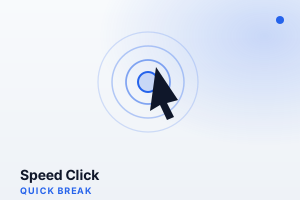
Speed Click
Click as many times as you can before time runs out! Test your clicking speed and compete against your own best score. Free browser clicking challenge!
How to Play
- A large clickable area fills the screen when the game starts.
- Click or tap as rapidly as possible for the duration of the timer.
- Each click or tap increments your click count.
- When the timer ends, your total clicks and clicks-per-second score are displayed.
- Try to beat your best CPS (clicks per second) across multiple attempts.
Features
- Pure speed challenge with no luck factor
- Real-time click counter and CPS display during play
- Multiple timer options (10s, 30s, 60s) for different challenge types
- Personal best tracking for ongoing improvement motivation
- Simple, large target area removes precision requirements
- CPS rank titles from Leisurely to Lightning
Tips & Strategies
- The butterfly click technique (alternating two fingers rapidly on the same button) can dramatically raise your CPS.
- Keep your wrist relaxed and off the desk — wrist tension is the biggest limiter of click speed.
- For the 10-second test, burst clicking is sustainable. For 30 or 60 seconds, find a comfortable sustainable cadence.
- Click with the tip of your finger, not the pad — tip clicks are physically faster.
- Warm up your fingers with 10–15 seconds of light clicking before your record attempt.
About This Game
Speed Click is a clicking sprint — 10, 30, or 60 seconds — that measures your clicks per second (CPS). When the timer starts, click or tap the target as fast as you possibly can; the game counts every hit and reports your CPS at the buzzer. It's a light, addictive quick-break game with an obvious hook — beat your previous best. Casual clickers manage around 5-7 CPS, while techniques like jitter-clicking push experienced players higher. No strategy, just raw speed.
Frequently Asked Questions
- What is CPS?
- CPS stands for clicks per second — your total clicks divided by the round length (10, 30, or 60 seconds). It is the standard way to compare clicking speed.
- What is a good CPS score?
- Around 5-7 CPS is average. 8-10 is fast, and only practised players using special techniques reliably exceed 10.
- Is jitter-clicking allowed?
- Absolutely. Any clicking style counts. Jitter-clicking and butterfly-clicking are common ways to push your score higher.
- Does it work on mobile?
- Yes. Rapid tapping is counted exactly like mouse clicks, though many players find a mouse easier to sustain.